

New Flow Features of Spring ’26 Release
Salesforce’s Spring ’26 release is just around the corner, and it’s packed with fresh enhancements for Salesforce Flow. Here is a quick look at what is new in Flow for Spring ’26.

1- Screen Styling
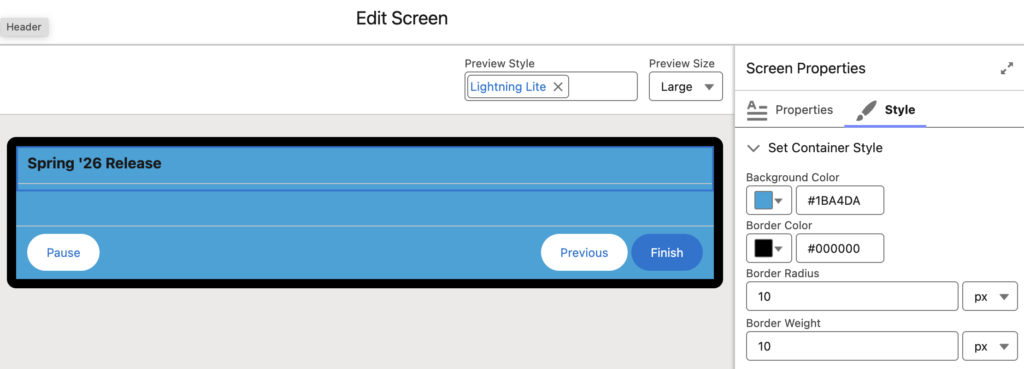
Starting with the Spring ’26 release, you can control the styling of your screens.
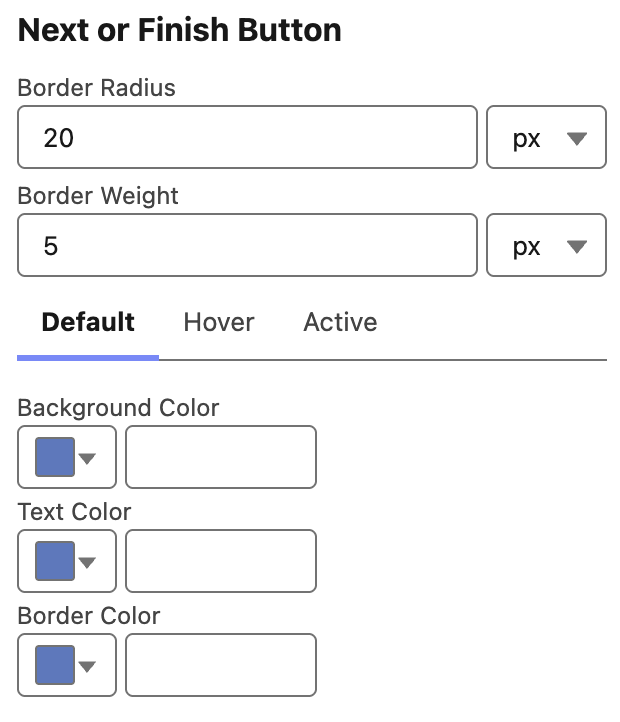
You can set the background color, border color, border radius, border width, and the header size and color of the screen element. You can also style the Next/Finish, Previous, and Pause buttons separately. In addition, you can define different styles for the default, hover, and active states of the buttons.
2- More Screen Component Styling Options
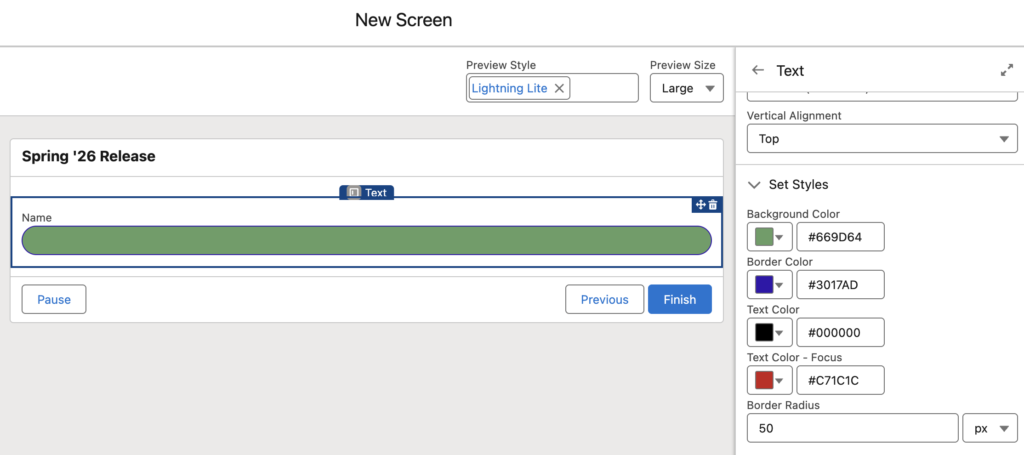
Starting with the Spring ’26 release, there are more styling options for individual screen components. In addition to setting the width and vertical alignment of screen components, you can now configure the background color, border color, text color, text color on focus, and border radius.
3- Multi-Page Experience Flow
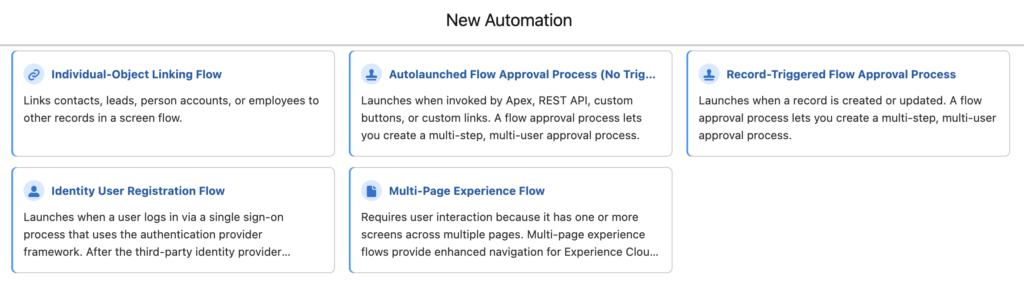
There is a new flow type called Multi-Page Experience Flow. This new flow type requires a user interaction because it has one or more screens across multiple pages. This new flow type provides enhanced navigation for Experience Cloud sites.
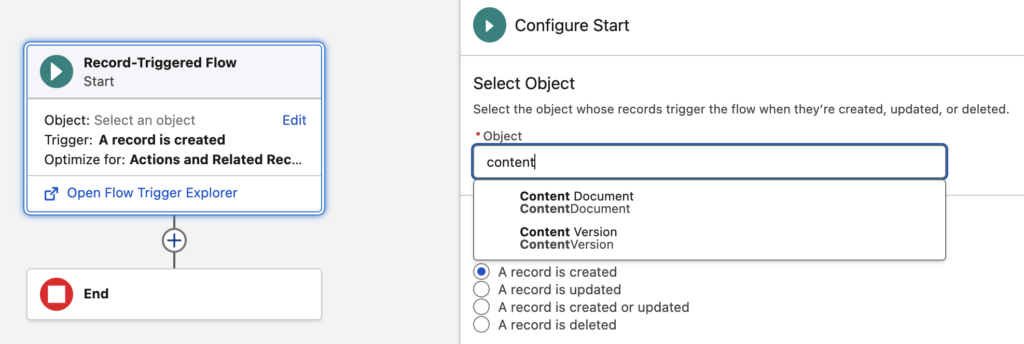
4- Build Record-Triggered Flows on Content Document and Content Version Objects
It’s finally here! You can now build record-triggered flows on ContentDocument and ContentVersion objects.
5- Data Table Enhancements
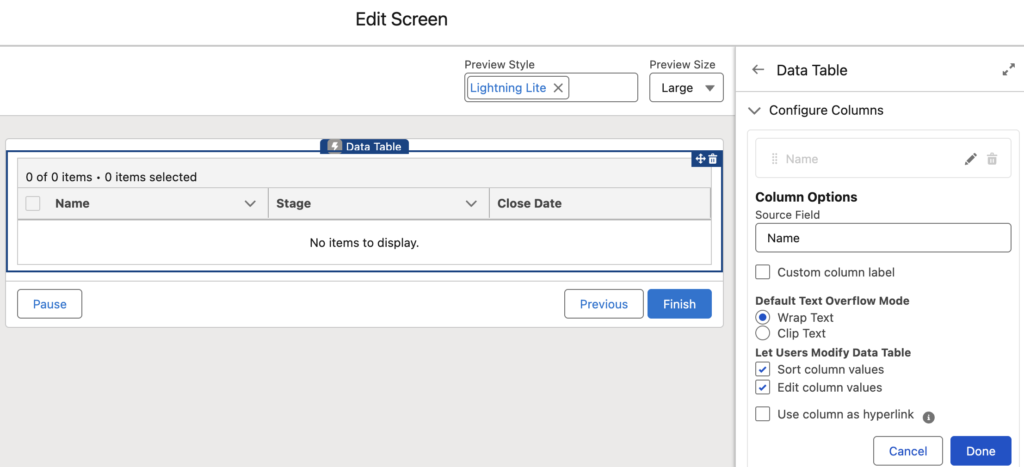
Starting with the Spring ’26 release, you can let users sort and edit data table columns. This means we finally have inline editing in the standard data table! Although it is limited to text fields, it is definitely a good start.
Moreover, you can now use text or URL columns as hyperlinks. No more workarounds or extra formula fields just to make a column clickable.
6- Flow Debug Improvements
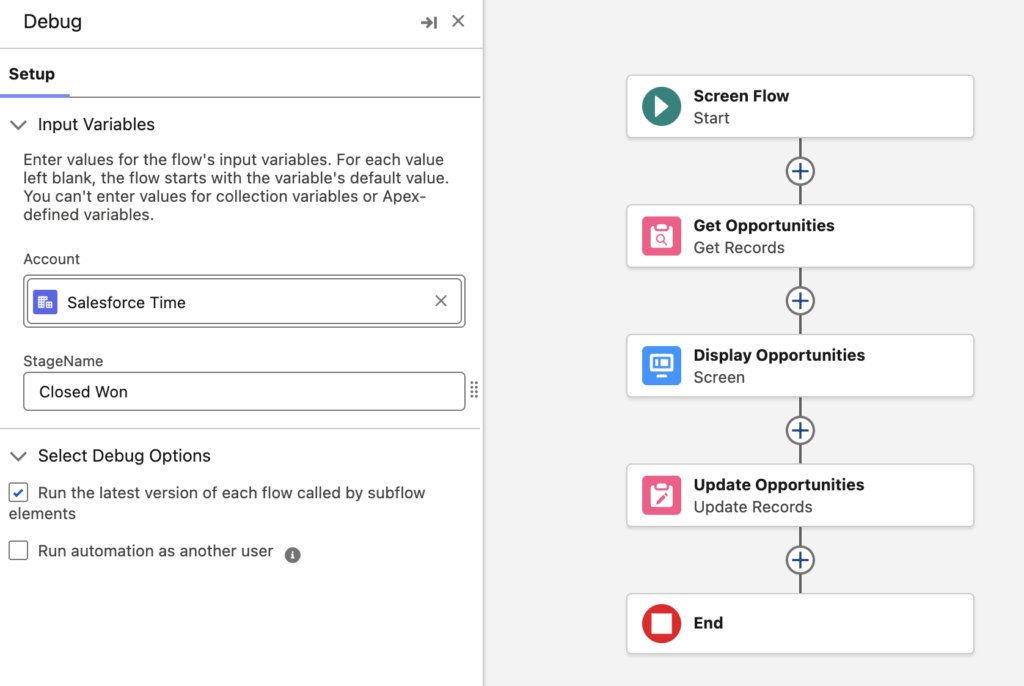
When you debug a flow, the values you enter to test it are saved in your browser cache. So the next time you debug, those values are still there and you don’t need to re-enter them each time. Even if you close and reopen the debug side panel, your inputs remain. This behavior applies to both Screen Flows and Record-Triggered Flows.
The post New Flow Features of Spring ’26 Release appeared first on Salesforce Time.
