

New Flow Features of Winter ’26 Release
Salesforce’s Winter ’26 release is just around the corner! As with previous releases, it introduces exciting new features for Salesforce Flow. Take a look at what’s new in Flow for the Winter ’26 release.
1- Modern Debugging Experience
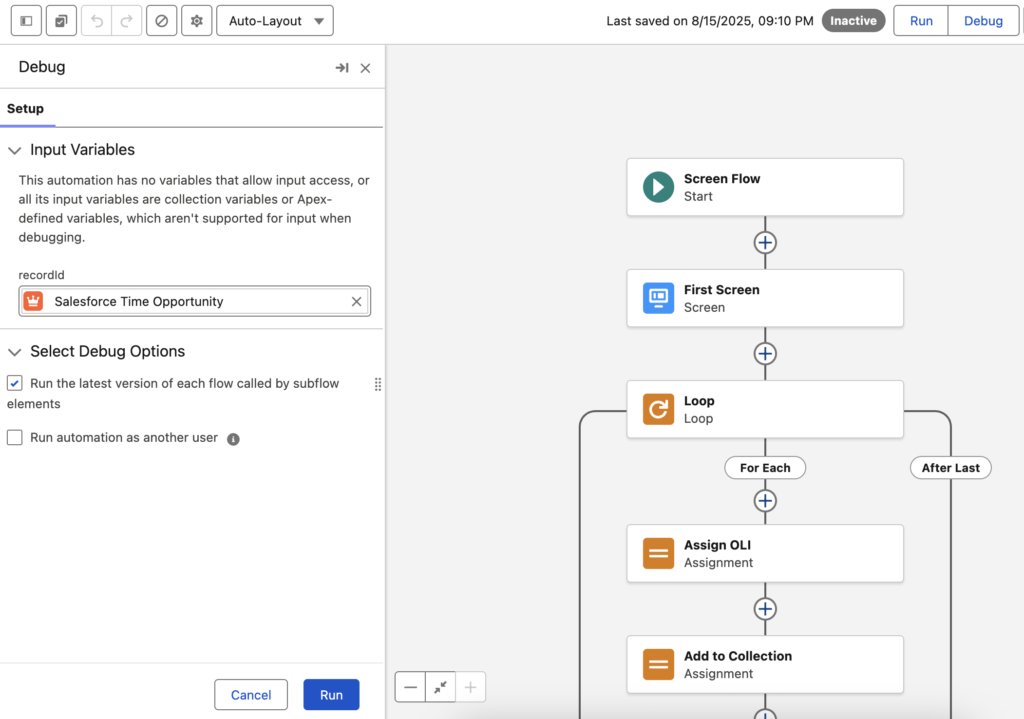
The Flow Debug Panel received a major upgrade in the Summer ’25 release. In that release, Salesforce introduced enhanced filtering, search, and improved formatting to simplify debugging for Record-Triggered, Autolaunched, and Scheduled Flows.
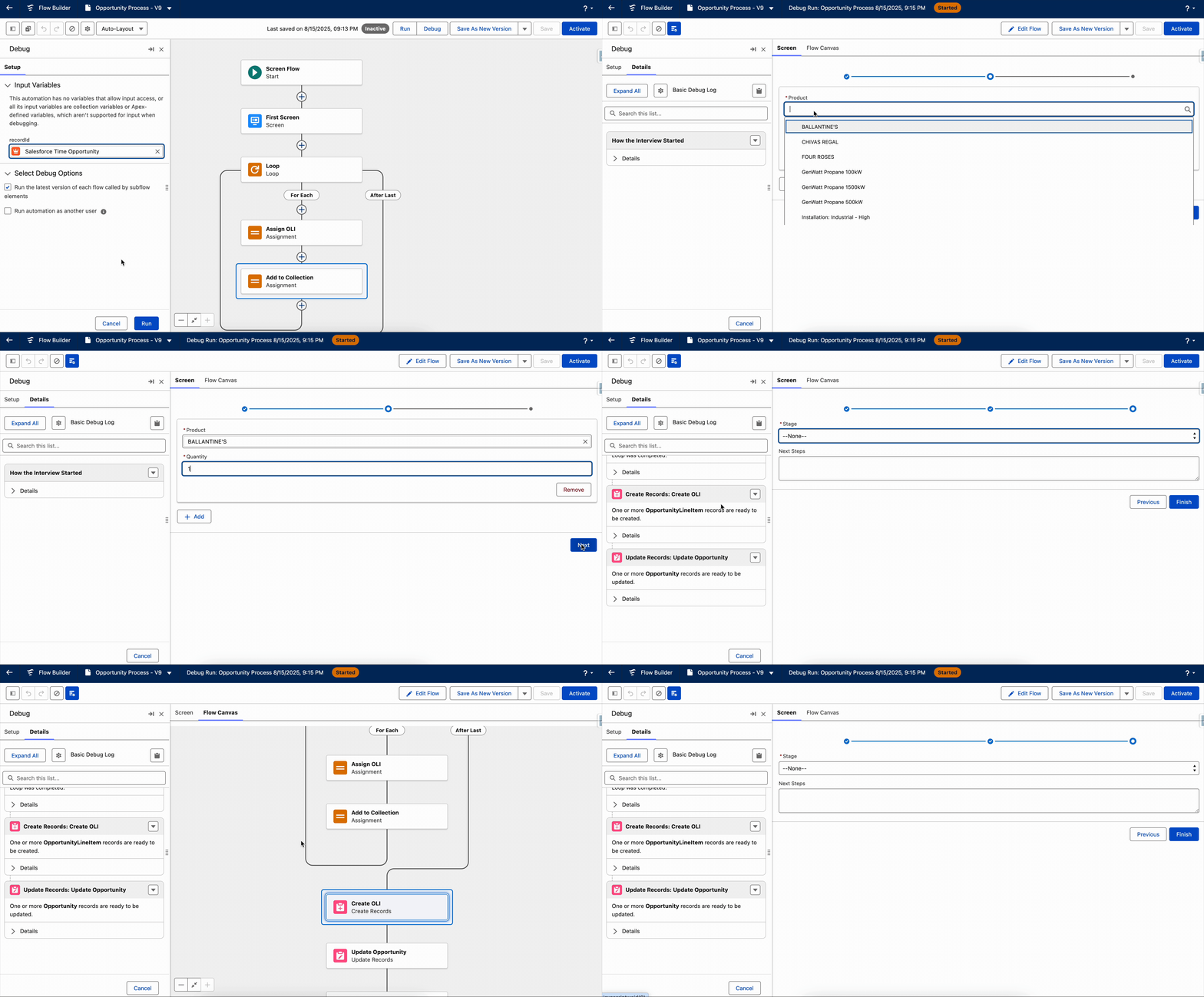
Starting in the Winter ’26 release, the modern debugging experience will now extend to Screen Flows as well.
Screen Flow Debugging
- Debug directly in Flow Builder – No need for a separate window.
- Full visibility – See all inputs and outputs for every component and screen action right on the screen.
- Quick switching – Use the new switcher to toggle between the running screen flow and the flow canvas.
- Local actions – These now execute during debugging, providing a realistic test run.
General Debugging Enhancements
- Collapsible side panel – Both the Debug setup and results are now in a collapsible side panel. For Screen Flows, you can hide debug details when you don’t need them.
- Shifted layout – The debugging interface is now on the left, letting you see debug details and element settings side by side.
- Canvas shortcuts – Every card in the debug results now includes a “View on Canvas” link to jump directly to the related element.
- Readable collections – Actions elements now show collections in a clear format, so it’s easier to understand large datasets.
2- Theme Picker in Screen Flows
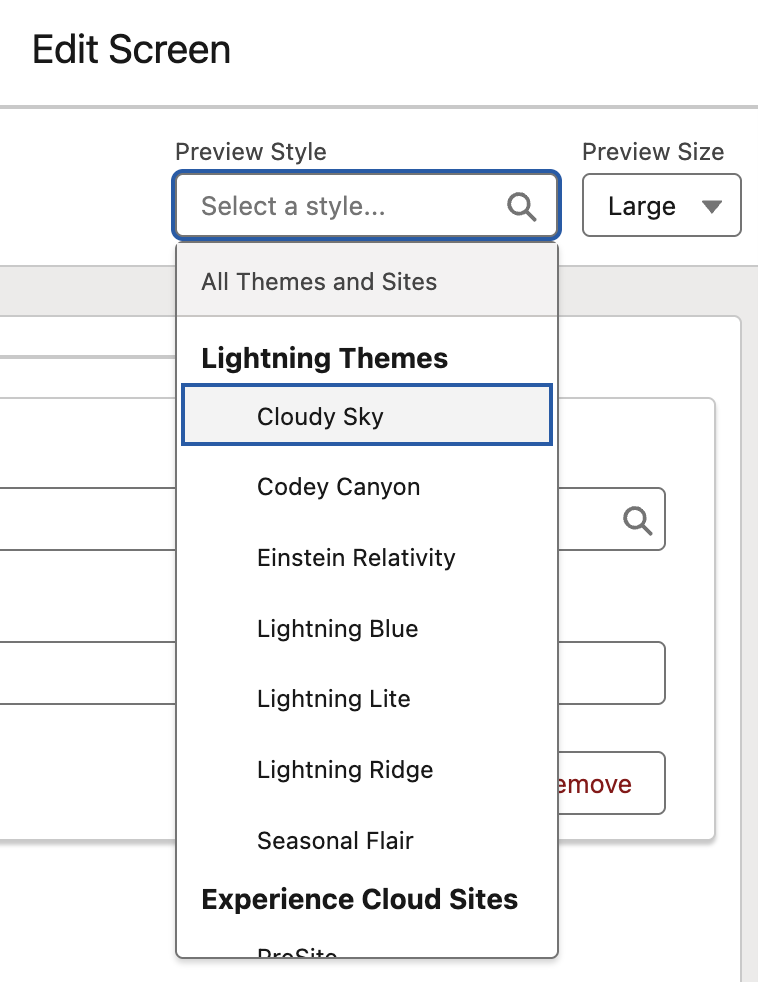
In the Summer ’25 release, Salesforce introduced the Size Picker in Flow Builder. It allows you to preview how your screens will appear across different screen sizes.
Following that, in the Winter ’26 release, Salesforce added the new Theme Picker. It lets you preview how your screen will look with a specific theme applied. For example, you can see how it appears in an Experience Cloud site, a Lightning Experience theme, or Salesforce Cosmos.
The post New Flow Features of Winter ’26 Release appeared first on Salesforce Time.
